Permissions
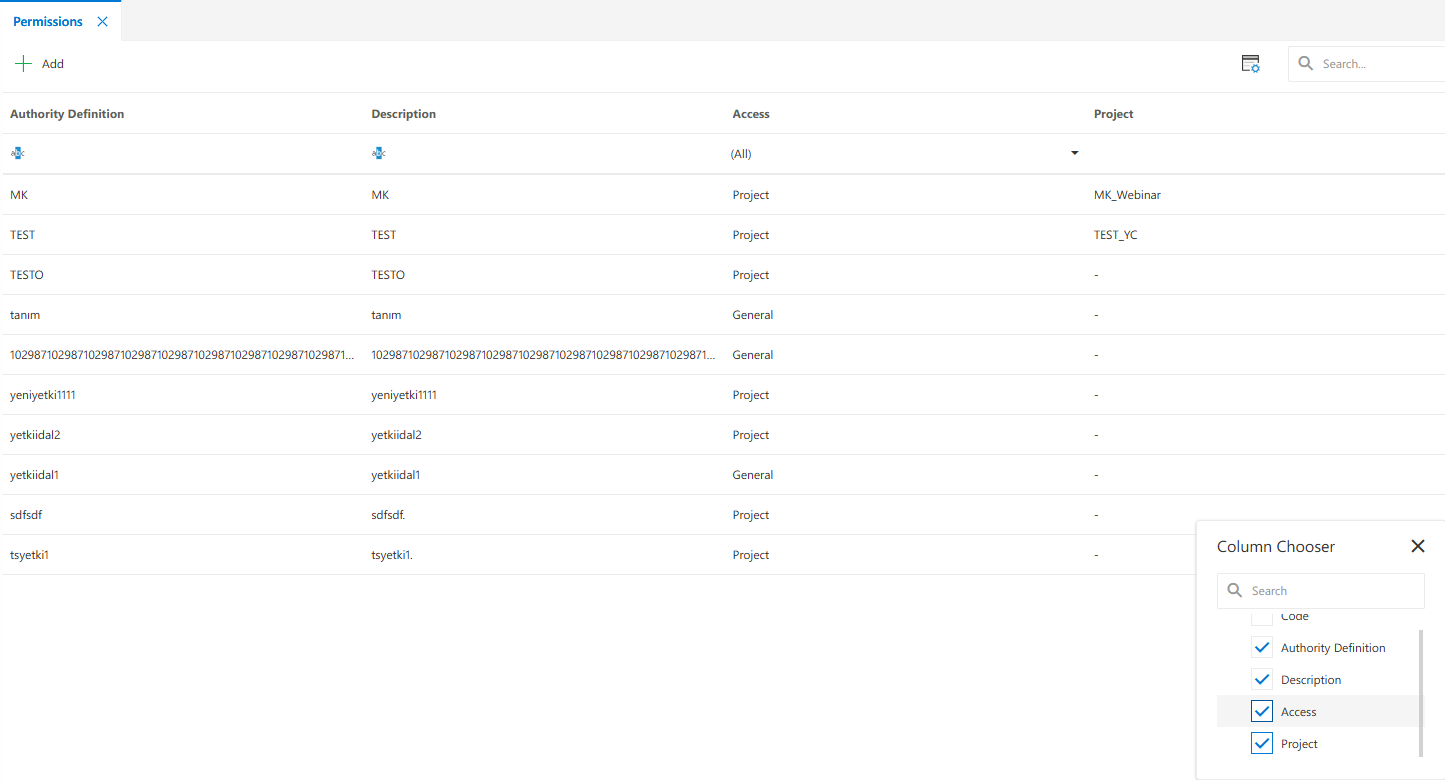
The Permissions panel is used to define and manage custom access definitions that control visibility and permissions within Synergy IDE. The Permissions panel provides a structured interface to create, update, and list access definitions that control various features in the platform. Each record defines a permission name, its description, and optionally associated scopes like project, module, or resource.
Features
- Permissions List: Displays all defined access entries with title and description.
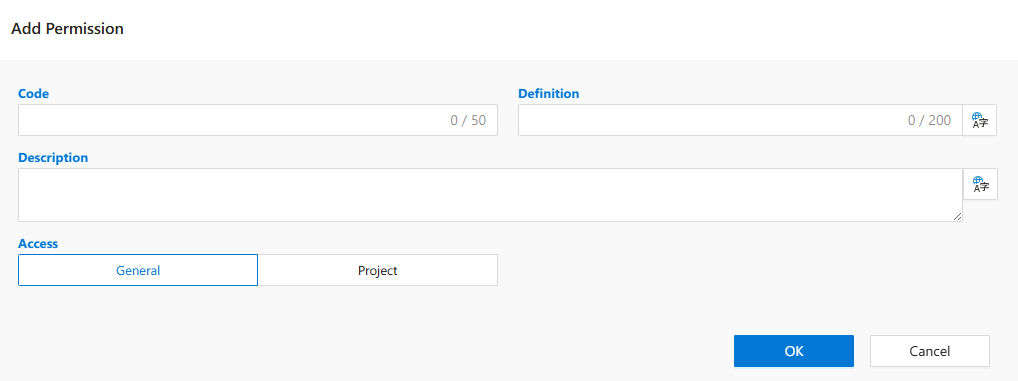
- Add New Permission: Create new permission definitions using the “Insert” button.
- Column Selector: Choose which metadata columns to show (e.g., Access, Project).
- Search Box: Filters the list based on permission name or description.
- Pagination Controls: Supports page size options (10, 20, 30, 50) and page navigation.
Notes
- Permissions defined here are used in runtime permission checks across modules.
- Fields such as “Access” or “Project” can be optionally included in the definition.
- Permissions are reused throughout components like Form Manager, Flow Designer, etc.
See Also
- #linkDocument (DeveloperGuides.IDE.Permissions.FAQs)
- #linkDocument (DeveloperGuides.IDE.Permissions.HowTos)
FAQs
- Where Are Permissions Used
- What Is The Purpose Of Column Selector
- What Is Permissions Panel
- Can I Assign Access To Projects